100% offline rendering
Screenshots and mockups stay on your device. Local processing keeps unreleased product screens private.
 SoloScreenshot
Private desktop screenshot studio for global apps
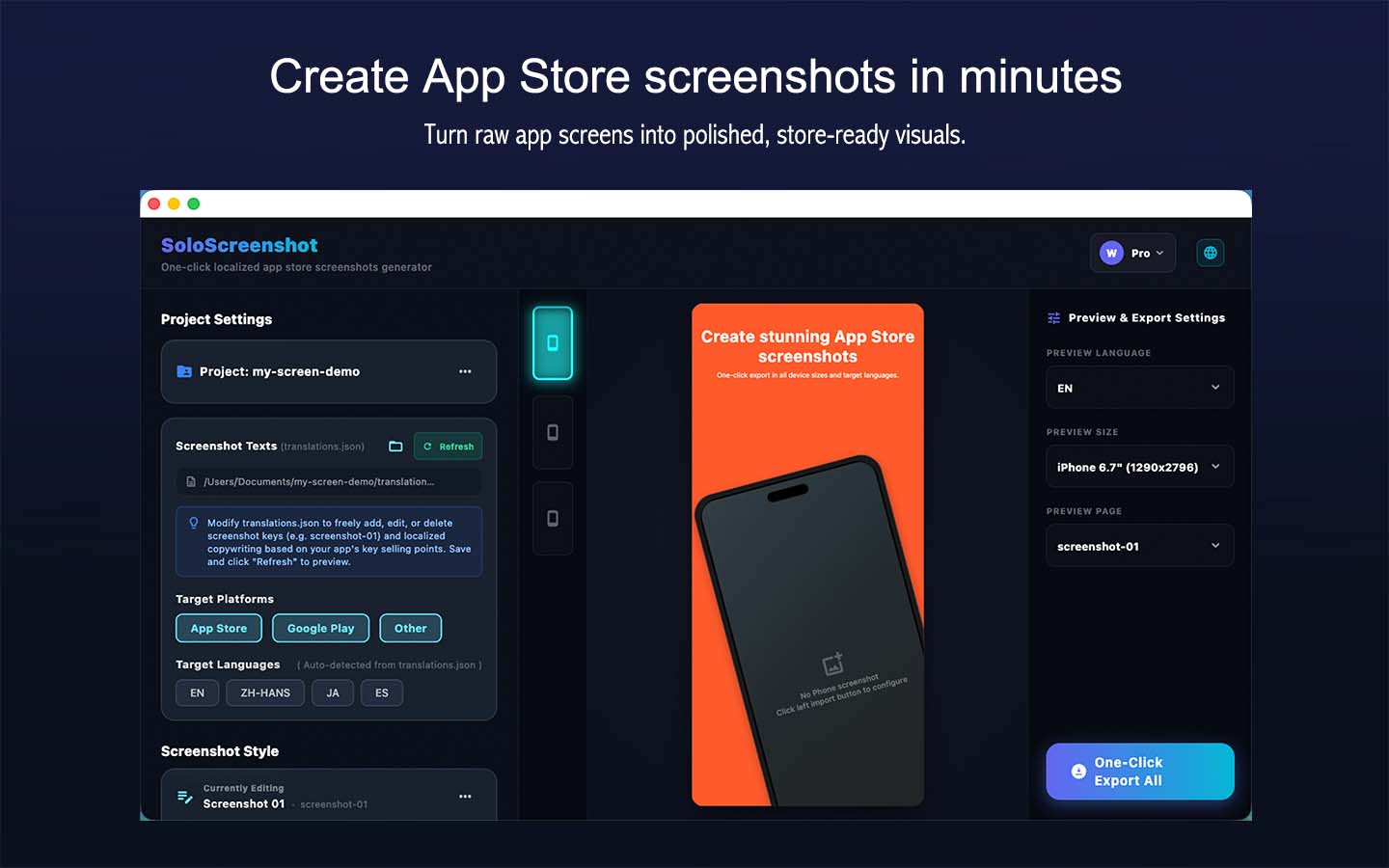
SoloScreenshot helps indie developers load local translation JSON files, design product screenshots, and export every required store size without uploading unreleased UI to a cloud tool.
Free to design · Offline rendering · One-time Pro
Keep the workflow repeatable when your interface, copy, or release languages change.
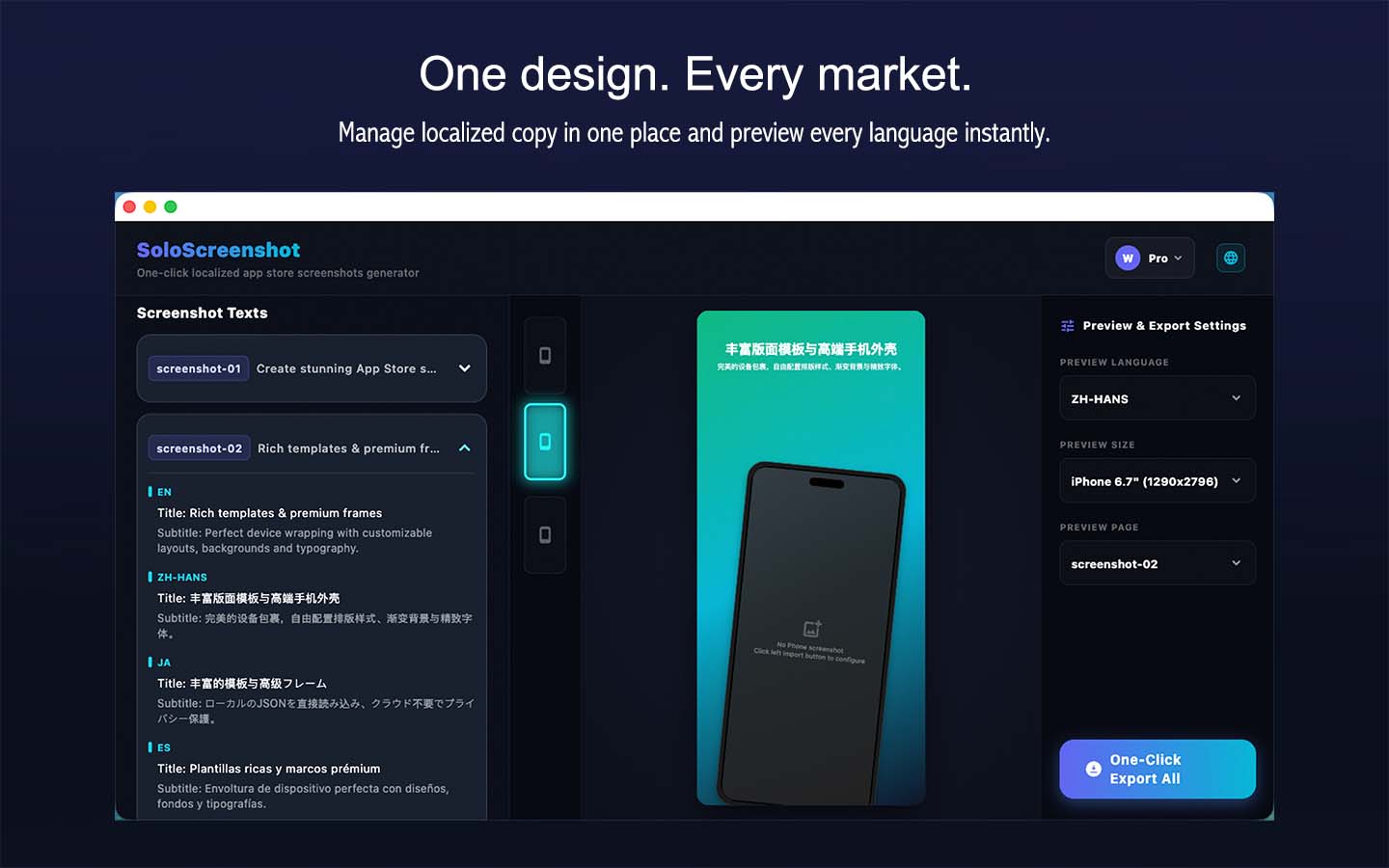
Load translation files once and export localized store screenshots without repetitive copy and paste.
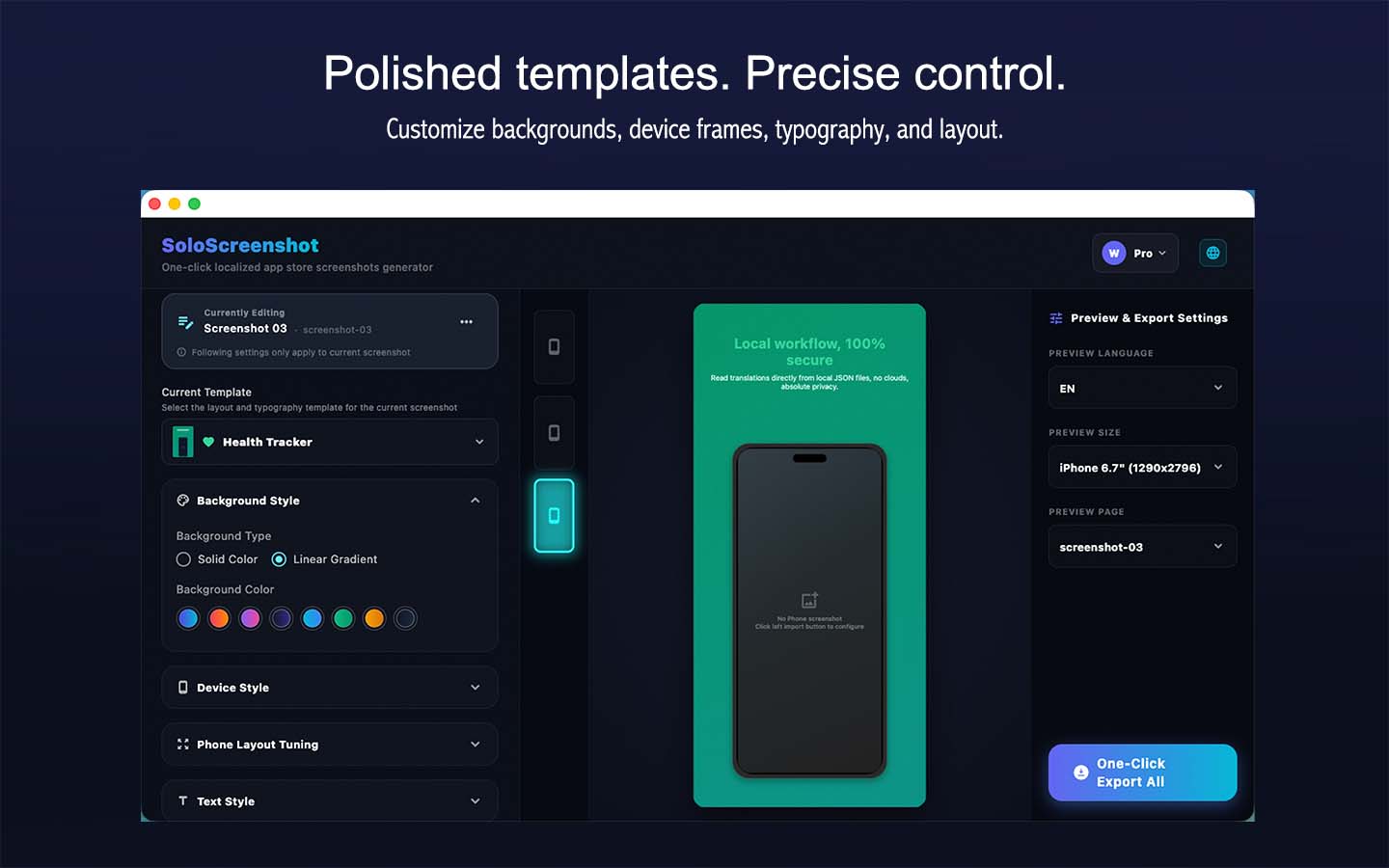
Start from polished layouts, device frames, gradients, typography, and product-focused screenshot compositions.
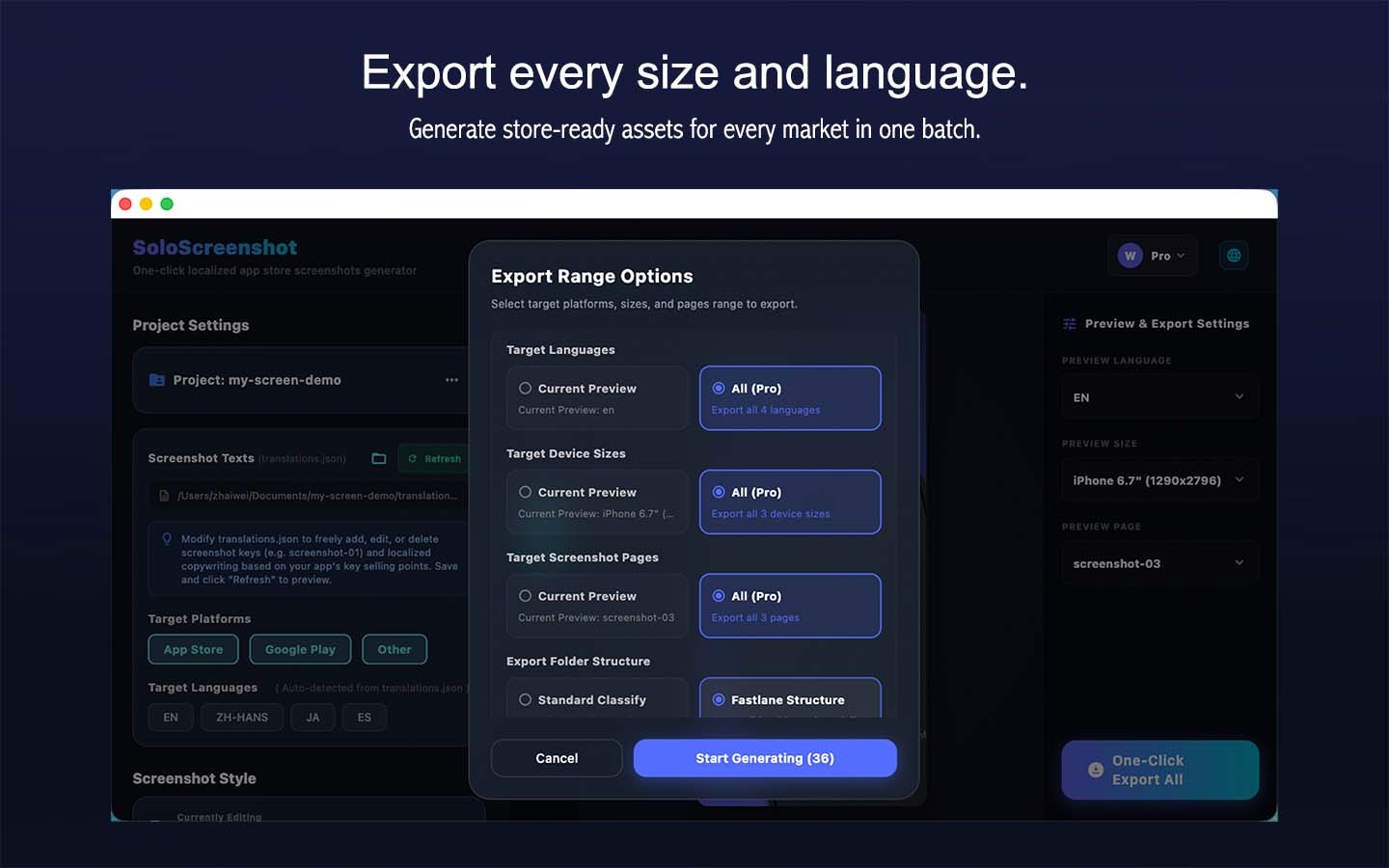
Export App Store, Google Play, Fastlane, and supported device presets in a predictable folder structure.
Screenshots and mockups stay on your device. Local processing keeps unreleased product screens private.
Load translation files once and export localized store screenshots without repetitive copy and paste.
Export App Store, Google Play, Fastlane, and supported device presets in a predictable folder structure.
Start from polished layouts, device frames, gradients, typography, and product-focused screenshot compositions.
Save reusable projects so a UI refresh or copy update can be re-exported quickly.
Core design tools are free. Pro focuses on batch speed for multi-screen and multi-locale releases.
Includes an AI instructions guide. Let your AI assistant (like Cursor, ChatGPT, or Claude Code) optimize screenshots layout or rewrite copy in batch.
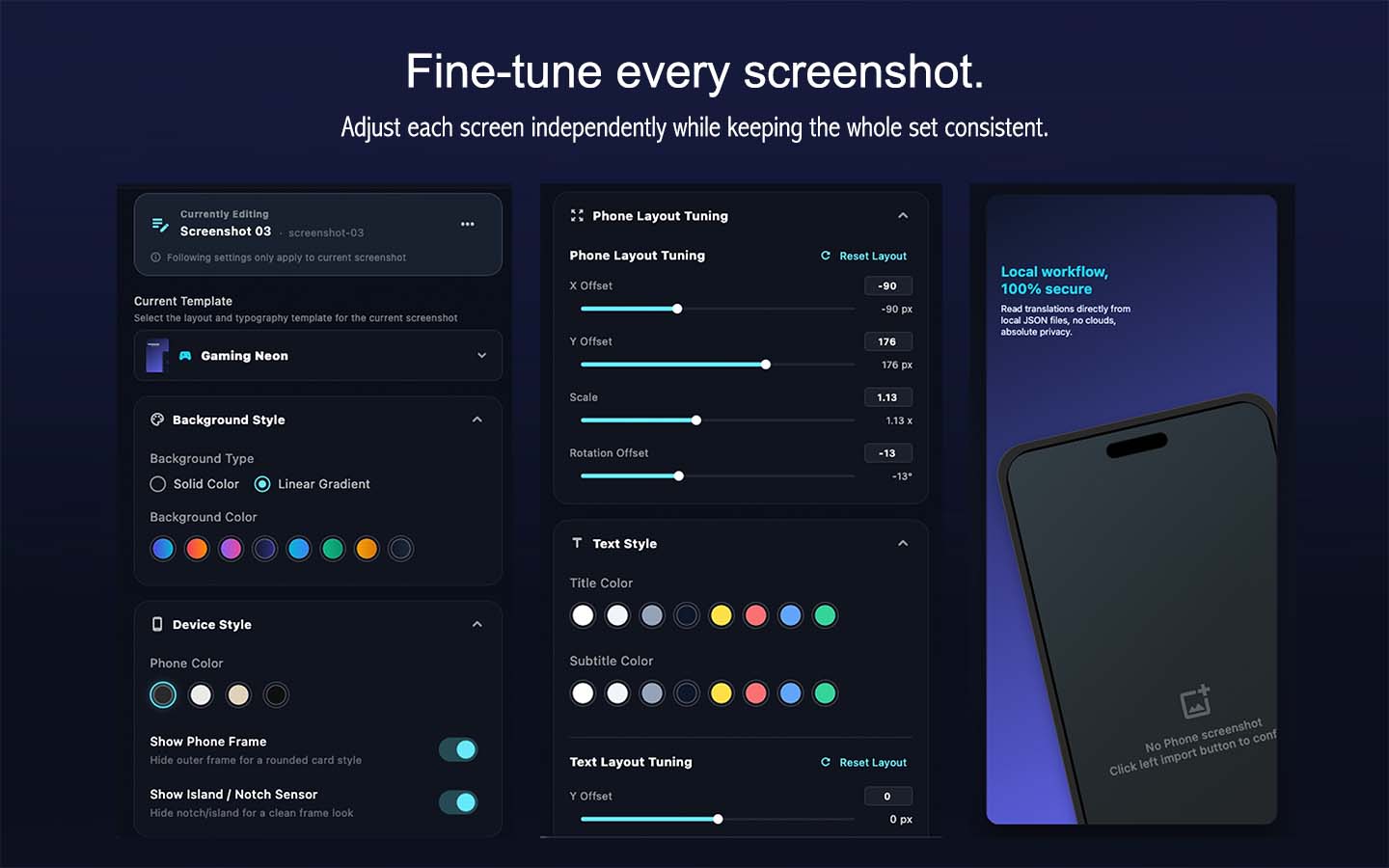
Override templates, colors, typography, text position, and device placement for each screenshot while preserving project-wide defaults.
Save the current design as a custom template, apply it across every screenshot, or restore template and project defaults whenever needed.
Use fixed, tested presets for iOS and Android, then export regular folders or a Fastlane-ready structure.
| Workflow | Typical web tools | SoloScreenshot |
|---|---|---|
| Privacy | Upload draft screens to a remote service | Render and export on your own computer |
| Localization | Copy text into each design manually | Load translation JSON and batch export locales |
| Delivery | Download scattered images one by one | Generate structured folders for store submission |
Use the design tools for free. Upgrade only when batch exporting saves meaningful time.
$0
Design, preview, and export individual screenshots.
Early bird price
$4.99
Batch export all screens, sizes, and configured languages.
One-time payment. No subscription.
No. Screenshot composition and rendering happen locally on your computer, so unreleased screens do not need to leave your device.
You can design, preview, and export the current screenshot, language, and size for free. Lifetime Pro unlocks batch export across all configured pages, languages, and sizes.
SoloScreenshot runs on macOS and Windows and prepares screenshot output for App Store and Google Play workflows.
Yes. You can export a structured Fastlane screenshot directory using the built-in iOS and Android size presets.